Get started
Make the chat look like your app
Set the chat title, photo, welcome message and color. Changes reach your app without an update.
Change the look
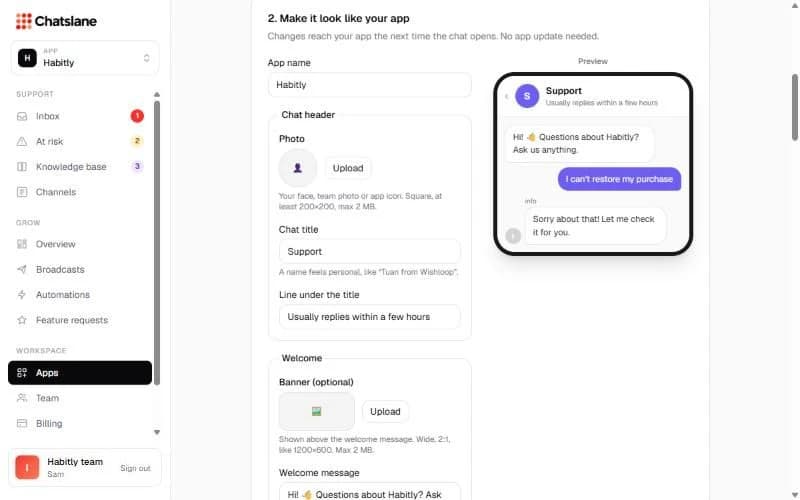
- 1Go to Apps → your app → "2. Make it look like your app".
- 2Under "Chat header", upload a "Photo" (square, at least 200×200, max 2 MB) and set the "Chat title" and the "Line under the title".
- 3Under "Welcome", add an optional "Banner" (2:1, max 2 MB) and a "Welcome message".
- 4Pick an "Accent color" and click "Save changes". Photos save right away.
Show who replies
Tick "Show who replies" to show each teammate's first name and photo next to their replies. Everyone sets their own name and photo under Settings → "Your profile".
Review requests
"Days between App Store review requests per user" stops you from asking the same person too often. 120 days is a good default.
Stuck? Email us at info@chatslane.com.