Grow
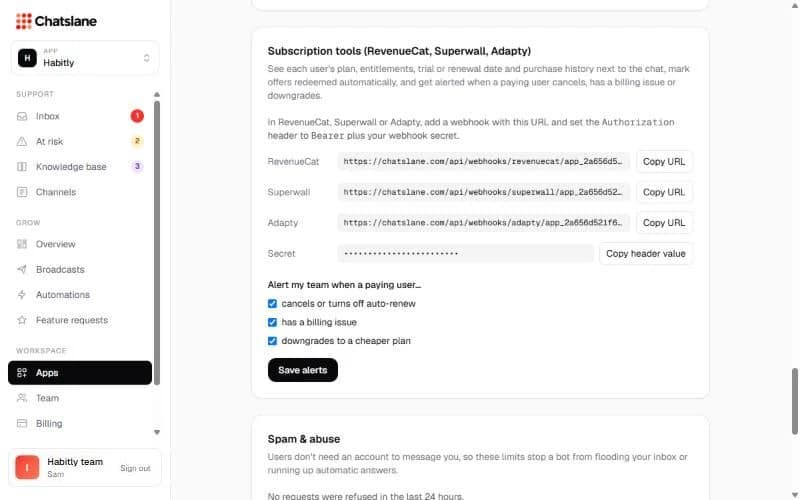
Connect RevenueCat, Superwall or Adapty
See each user's plan and purchase history next to the chat, and get alerted when a paying user cancels.
Add the webhook
- 1Go to Apps → your app → "Subscription tools (RevenueCat, Superwall, Adapty)".
- 2Click "Copy URL" next to your tool and add it as a webhook in that tool.
- 3Click "Copy header value" and paste it as the Authorization header of that webhook.
- 4Under "Alert my team when a paying user…", choose what you want to hear about and click "Save alerts".
Tip: Users are matched on their app user ID, so the chat's userId must be the same ID your subscription tool uses.
Stuck? Email us at info@chatslane.com.