Support
Reach users by email
When a user doesn't open the app, your reply also goes out by email. They can answer the email, and it lands in the chat.
Turn it on
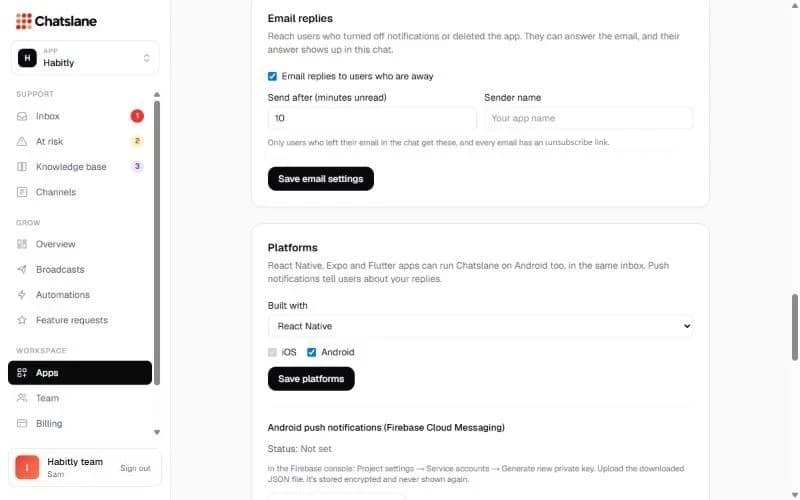
- 1Go to Apps → your app → "Email replies".
- 2Tick "Email replies to users who are away".
- 3Set "Send after (minutes unread)" and an optional "Sender name", then click "Save email settings".
Good to know
Only users who left their email in the chat get these emails, and every email has an unsubscribe link. There's nothing else to set up.
When the user answers the email, their answer shows up in the same chat, marked "via email".
Stuck? Email us at info@chatslane.com.