Support
Saved replies
Answers your team reuses, with the user's name and plan filled in.
Create one
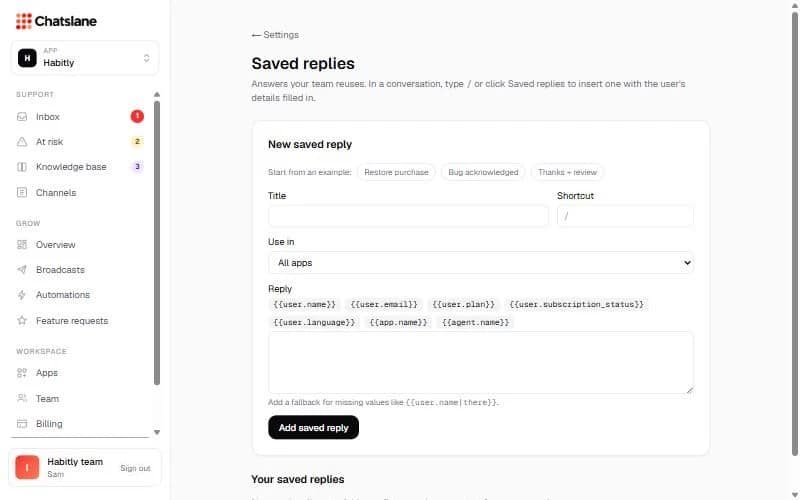
- 1Go to Settings → "Saved replies". Start from an example like "Restore purchase" or write your own.
- 2Fill in the "Title", a "Shortcut" and the "Reply". Choose whether it's for all apps or one.
- 3Click "Add saved reply".
Variables
Use {{user.name}}, {{user.email}}, {{user.plan}}, {{user.subscription_status}}, {{user.language}}, {{app.name}} and {{agent.name}}. Add a fallback for missing values like {{user.name|there}}.
In a chat, type / or click "Saved replies". Anything still missing is flagged before you send.
Stuck? Email us at info@chatslane.com.