Support
Office hours and away replies
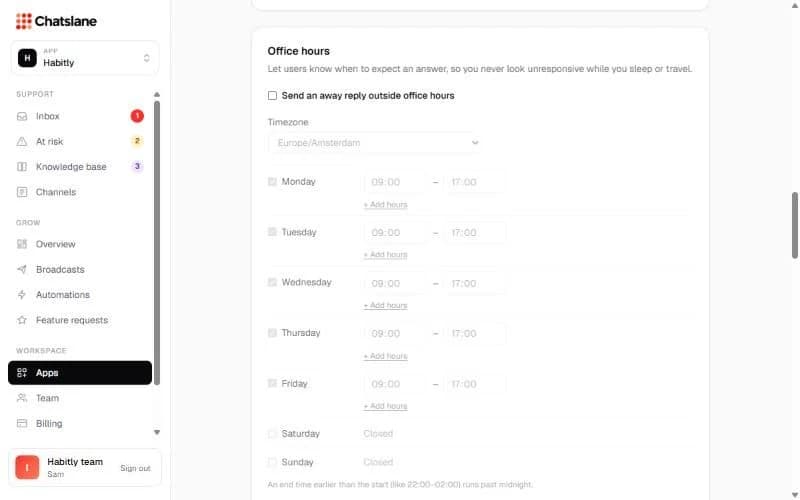
Tell users when to expect an answer, so you never look unresponsive at night or on holiday.
Set your hours
- 1Go to Apps → your app → "Office hours".
- 2Tick "Send an away reply outside office hours" and pick your "Timezone".
- 3Set the hours per day. Use "+ Add hours" for split shifts, and untick a day to close it.
- 4Write the "Away reply" and click "Save office hours".
Away for a while
Use "I'm away (holiday, sick day…)" with an optional end date. The away reply goes out once per offline period, translated into the user's language.
Stuck? Email us at info@chatslane.com.