Grow
Send offers in the chat
Send a discount or upgrade as a tappable card that opens your paywall or a promo code.
Send an offer
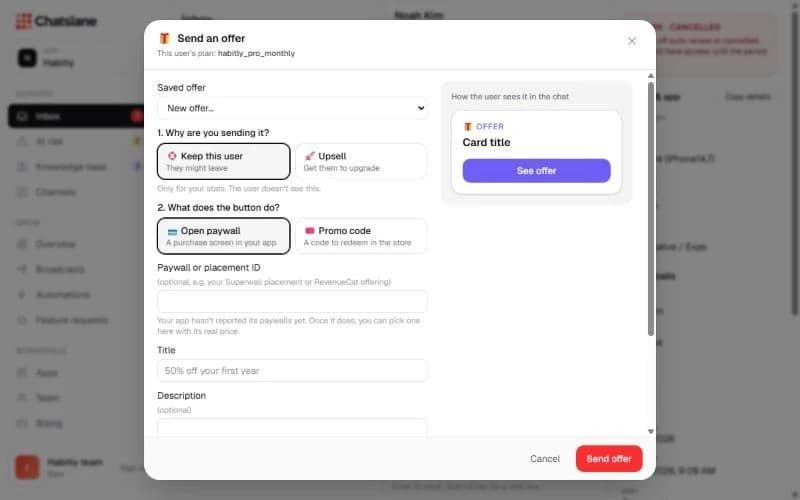
- 1In a chat, click "Send offer".
- 2Choose why: "Keep this user" or "Upsell".
- 3Choose what the button does: "Open paywall" (pick a paywall your app reported or type an ID) or "Promo code".
- 4Fill in the "Title", "Description" and "Button label", optionally tick "Save this offer for this app", and click "Send offer".
Follow the result
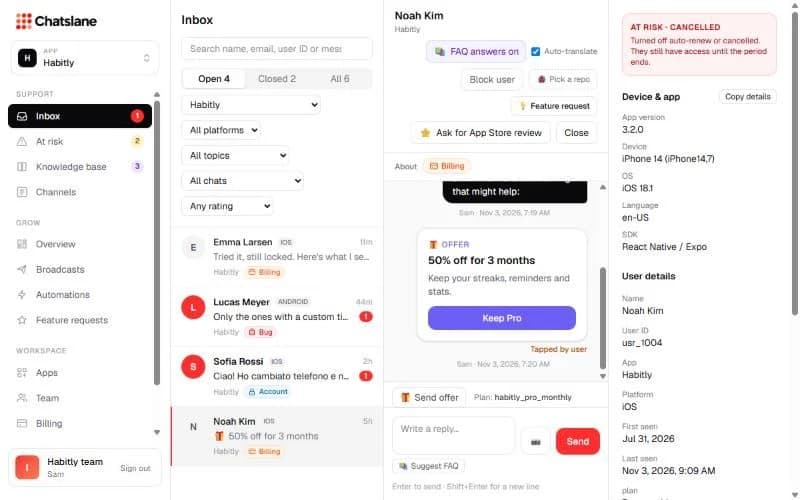
Under the card you see whether it was sent, tapped by the user, or redeemed 🎉. Redeemed offers count towards "Revenue saved" on the Overview.
Stuck? Email us at info@chatslane.com.