Grow
Broadcasts
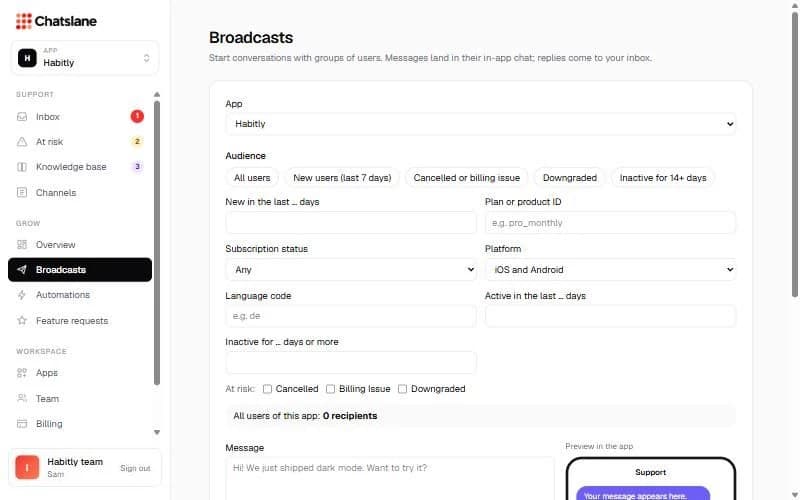
Start conversations with a group of users. Messages land in their in-app chat and replies come to your inbox.
Send a broadcast
- 1Go to Broadcasts and pick the app.
- 2Choose an audience, like "All users", "New users (last 7 days)" or "Cancelled or billing issue", and add filters if you like.
- 3Write the "Message", add an optional photo, and set "Send at" to schedule it (leave empty to send now).
- 4Click "Send message" or "Schedule message" and confirm.
Results
Under "History" you see how many messages were delivered, opened and replied to. Scheduled broadcasts can be cancelled there.
Stuck? Email us at info@chatslane.com.