Support
Talk to users in any language
Read every message in your language and reply in theirs, automatically.
Turn it on
- 1Go to Settings → "Language" and pick the language you read in "Read messages in".
- 2Open a chat. Messages in other languages show the translation with "Translated from …" and a "Show original" link.
- 3Reply in your own language. The reply box shows "Your reply will be sent in …".
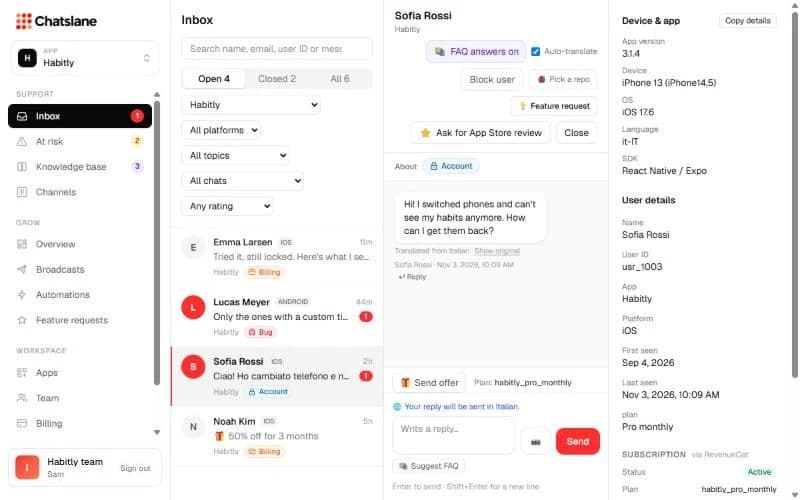
Per chat
Use the "Auto-translate" checkbox at the top of a chat to switch it off for one conversation. You can also click "Translate" on a single message. If a translation fails, you can still "Send untranslated".
Stuck? Email us at info@chatslane.com.