Workspace
Spam and abuse limits
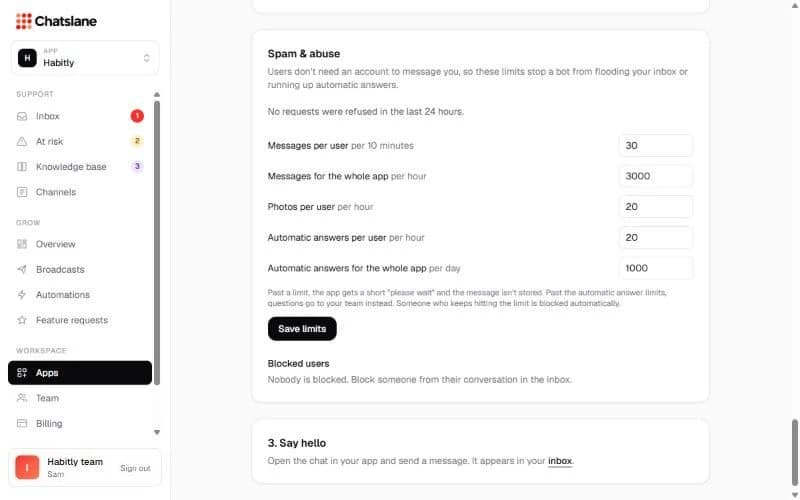
Users don't need an account to message you, so limits stop bots from flooding your inbox.
Set the limits
- 1Go to Apps → your app → "Spam & abuse".
- 2Change the limits for messages, photos and automatic answers per user and per app.
- 3Click "Save limits".
Blocking
Someone who keeps hitting a limit is blocked automatically. You can also block a user from their chat. Blocked users are listed here with an "Unblock" button.
Stuck? Email us at info@chatslane.com.